- Published
- Reading time
- 17 min read
Best Notification Applications for Small Teams
- Written by
- Türkü Şimşek
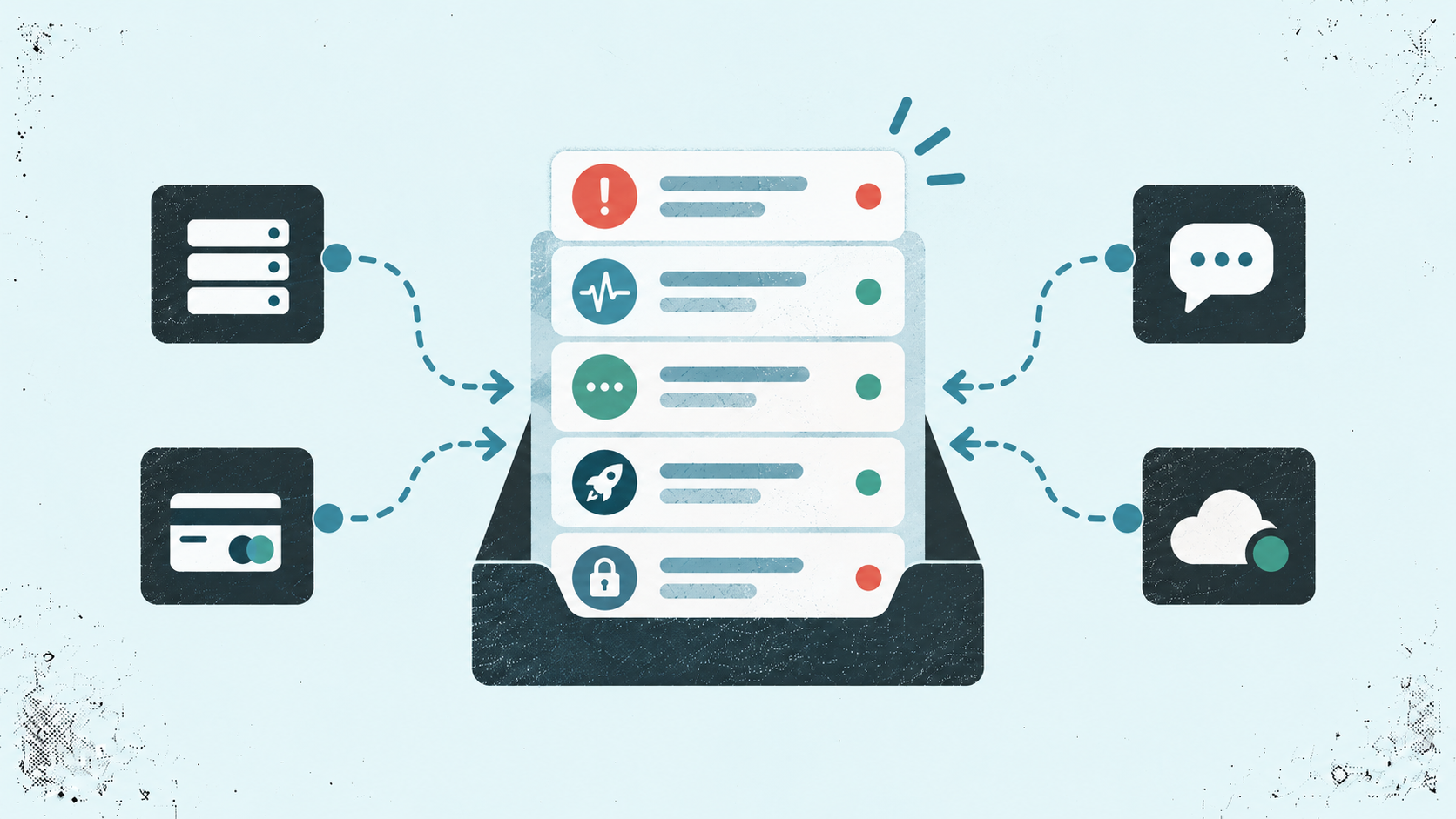
The best notification applications help you catch important product events without checking dashboards all day. For indie makers and small SaaS teams, the right choice depends on your integrations, budget, and the alerts you need. Prioritize tools that surface useful updates, such as failed payments, downtime, and customer feedback.
You’re fixing a bug, answering a support email, and trying to ship a new feature. Somewhere between those tasks, a payment fails or a customer leaves a review.
You could keep checking every dashboard. But when you’re building a product with a small team, or on your own, that takes time away from the work you planned to do.
Notification applications help bring those updates to your attention. The challenge is choosing one that keeps you informed without turning every event into another interruption.
If you ask me, the most useful notification is one that helps you decide what to do next.
In this guide, we’ll compare notification applications for indie developers, solo founders, and micro SaaS teams. We’ll look at their features, setup requirements, pricing, and limitations so you can find a tool that fits your workflow.
The Appkeepr Brief
- Notification applications help you follow product events without repeatedly checking dashboards. This guide focuses on alerts for the people building and running apps.
- Prioritize updates that need action. Downtime, critical errors, and billing issues deserve attention. Routine signups and activity can be reviewed separately.
- Five tools serve different needs. Appkeepr brings app updates and monitoring together. LogSnag adds event analytics, Pushover delivers device alerts, and ntfy and Gotify support custom or self-hosted workflows.
- Compare the full commitment. Check integrations, delivery options, message limits, team pricing, and maintenance effort before choosing.
- Start small and test your setup. Connect a few meaningful events, include useful context, protect sensitive data, and review which alerts help you act.
What Are Notification Applications?
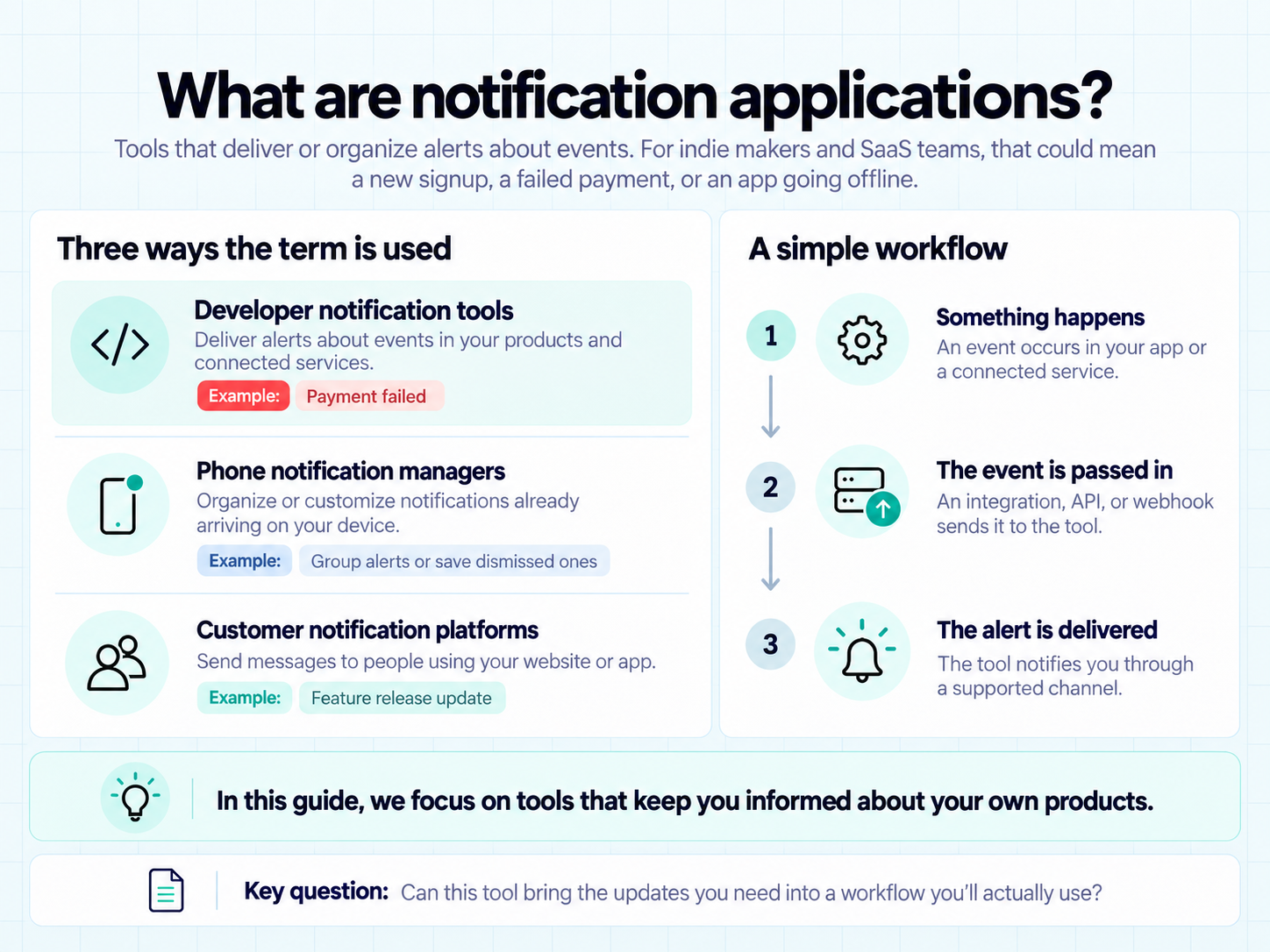
Notification applications are tools that deliver or organize alerts about events. For indie makers and SaaS teams, those events might include a new signup, a failed payment, or an app going offline.
Instead of opening several dashboards to check for changes, you receive an update when a connected service reports an event.
However, “notification applications” can describe different types of tools:
Type | What it does | Example use case |
Developer notification tools | Deliver alerts about events in your products and connected services | Receive an alert when a subscription payment fails |
Phone notification managers | Organize or customize notifications already arriving on your device | Group notifications or save dismissed alerts |
Customer notification platforms | Send messages to people using your website or app | Notify customers about a feature release |
In this guide, we will focus on tools that keep you informed about your own products.
A simple workflow looks like this:
- Something happens in your app or a connected service.
- An integration, API, or webhook passes the event to your notification tool.
- The tool delivers an alert through a supported channel.
The setup varies between applications. Some offer ready-made integrations. Others require you to connect events yourself.
The key question is simple: Can this tool bring the updates you need into a workflow you’ll actually use?
Which App Events Are Worth Getting Notified About?
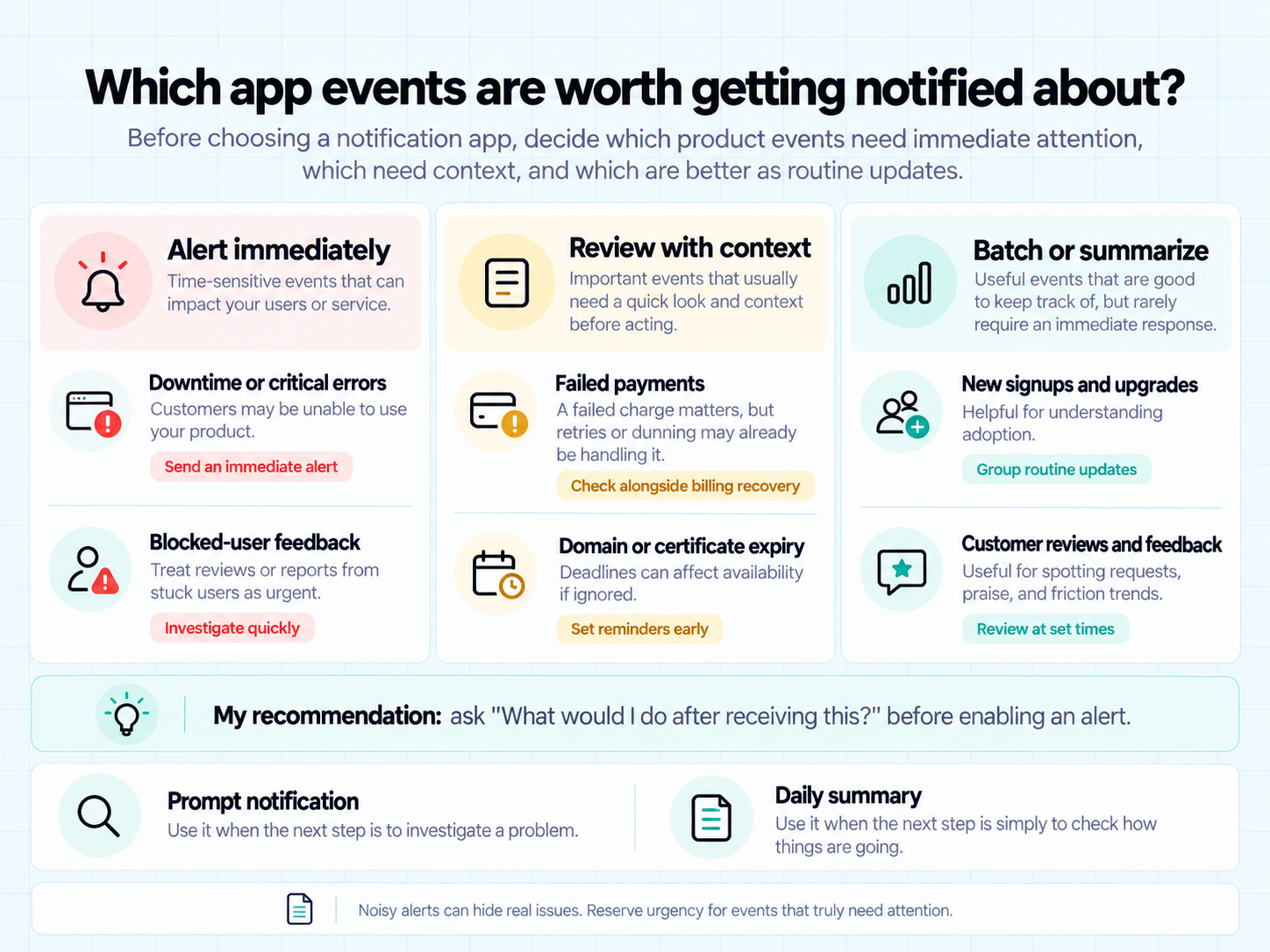
Before comparing notification applications, decide what you need to know about your product.
A new signup is encouraging. A broken checkout needs attention. Sending both with the same urgency can make it harder to spot the problem.
Google’s guide to monitoring and alerting explains how frequent, noisy alerts can cause people to overlook real problems. For a small team, the takeaway is simple: reserve urgent notifications for events that need attention.
For a solo founder or micro SaaS team, these are useful starting points:
Event | Why it matters | Suggested approach |
Downtime or critical errors | Customers may be unable to use your product | Send an immediate alert for issues affecting users |
Failed payments | A subscription may need billing follow-up | Review alongside your payment provider’s recovery process |
New signups and upgrades | Show how people are adopting your product | Group routine updates or review them at set times |
Customer reviews and feedback | Reveal frustrations, requests, and positive experiences | Check regularly; prioritize reports of blocked users |
Domain or certificate expiry | An approaching deadline may put availability at risk | Set reminders early enough to take action |
Your payment provider can supply some of these events. For example, Stripe’s subscription webhook documentation describes events for payment failures, paid invoices, and subscription changes.
However, a failed-payment alert doesn’t always mean you need to contact the customer immediately. An automated retry may already be handling it.
My recommendation: ask “What would I do after receiving this?” before enabling an alert.
If the answer is “investigate a problem,” it may deserve a prompt notification. If it’s “check how things are going,” a daily summary may be enough.
Best Notification Applications for Indie Makers and SaaS Teams
The right notification application depends on how you run your product.
You might want important app updates in one inbox. Or you may prefer sending alerts from your own scripts. Some teams also need event tracking to understand what happened before an alert arrived.
We’ll compare five options:
- Appkeepr
- LogSnag
- Pushover
- ntfy
- Gotify
These tools serve different workflows. LogSnag combines event tracking with notifications. Pushover focuses on delivering alerts to your devices. ntfy supports HTTP-based notifications and self-hosting. Gotify provides a server and clients for sending and receiving messages.
For each application, we’ll look at its best use case, key features, setup requirements, and limitations.
If you ask me, the best starting point is your existing stack. A tool becomes useful when it connects the events you care about to a place you’ll actually check.
1. Appkeepr: Keep Your App Updates in One Place
Appkeepr brings payments, feedback, releases, and service alerts into one inbox. It’s built for app developers who want to stay informed while keeping their focus on building.
Access your inbox on the web, iPhone, or iPad. Read a message on your phone, and it’s marked as read on the web, too.
Key features:
- Connected tools: Receive updates from RevenueCat, Sentry, Vercel, and Dokploy.
- Release updates: Follow App Store release status changes.
- Custom events: Send backend updates through the HTTP API or Node.js SDK.
- Organized channels: Keep billing, feedback, errors, and other updates grouped.
- Built-in monitoring: Track uptime and receive domain and TLS expiry reminders.
If you ask me, Appkeepr’s strongest advantage is bringing product updates and monitoring together. For a solo founder, that’s a practical way to reduce dashboard checking and keep important events within reach.
Pricing: A free plan includes 5,000 messages per month. Pro costs $9.99/month, and Scale costs $29.99/month.
Best fit: Indie makers, solo founders, and micro SaaS teams seeking one inbox for app events and monitoring alerts.
Things to consider: Choose a plan based on your message volume, team size, and monitoring needs. Custom backend events require a channel, an API token, and a connection through the API or SDK.
At a glance | Appkeepr |
Best for | Centralizing app updates for solo founders and small teams |
Standout feature | Unified inbox with built-in uptime and expiry monitoring |
Pricing | Free; paid plans from $9.99/month |
Main consideration | Match plan capacity to your events, team, and monitoring needs |
2. LogSnag: Track Product Activity and Receive Alerts
LogSnag combines event tracking, analytics, and push notifications. It helps you follow product activity and explore the context behind individual updates.
For example, you can track a signup, follow later events, and examine where users drop out of a conversion journey.
Key features:
- Event tracking: Send product events through HTTP requests, SDKs, or integrations.
- Push notifications: Receive alerts for important events.
- Funnels: Explore conversion paths within your product.
- Journey tracking: Follow related events using filters.
- Dashboards: Monitor metrics alongside your event activity.
My opinion is that LogSnag makes sense when you want to understand the activity behind an alert. If you only need occasional notifications, consider whether you’ll also use its funnels and journey tracking.
Pricing: LogSnag offers 2,500 events per month on its free plan. Paid plans start at $16/month when billed annually.
Best fit: Indie developers and SaaS teams seeking event analytics alongside notifications.
Things to consider: The free plan’s event allowance can become restrictive if you track frequent actions. You’ll also need to configure the events you want to analyze. Compare the value of its analytics features against your actual needs before paying.
At a glance | LogSnag |
Best for | Product event tracking and analytics |
Standout feature | Funnels and journey tracking alongside alerts |
Pricing | Free; paid plans from $16/month, billed annually |
Main consideration | Event volume and the work of configuring tracking |
3. Pushover: Send Alerts to Your Devices
Pushover delivers notifications to Android, iPhone, iPad, and desktop. You can connect supported services or send custom messages from your backend and scripts.
For an indie developer, that could mean receiving an alert when a backup finishes or a monitoring tool detects a problem.
Key features:
- Device delivery: Receive alerts on supported mobile and desktop platforms.
- Custom messages: Send notifications through a REST API or email gateway.
- Priority settings: Assign different urgency levels to your alerts.
- Message context: Include links and image attachments.
- Group delivery: Send notifications to multiple recipients.
If you ask me, Pushover is worth considering when you already have tools detecting events and need a way to deliver their alerts. Start by checking whether those tools offer a ready-made integration.
Pricing: Individual access costs $4.99 once per platform after a 30-day trial. Teams costs $5 per user/month.
Best fit: Developers who want device alerts from existing services, monitoring tools, or custom scripts.
Things to consider: Individual purchases cover each platform separately. Custom messages can be sent through the API or email gateway. Individual accounts include 10,000 messages per month; Teams includes 25,000. Messages sent to a group count once per recipient, and higher volumes require additional sending capacity.
At a glance | Pushover |
Best for | Delivering alerts from existing tools and scripts |
Standout feature | Device notifications with configurable priorities |
Pricing | $4.99 once per platform; Teams at $5/user/month |
Main consideration | Platform purchases, sending limits, and integration setup |
4. ntfy: Flexible Notifications for Custom Workflows
ntfy is an open-source notification service that sends messages to your phone or desktop. You publish a message to a topic, then receive it on devices subscribed to that topic.
For an indie developer comfortable with scripts, it offers a flexible way to receive updates from backend jobs and other tools.
Key features:
- HTTP-based messages: Send notifications using standard HTTP requests.
- Topic subscriptions: Organize updates into topics you subscribe to.
- Notification priorities: Set different sounds and vibration patterns.
- Message actions: Add buttons, attachments, tags, and links.
- Self-hosting: Run your own server or use the hosted service.
My opinion is that ntfy suits makers who enjoy configuring their own workflows. That flexibility is appealing, but consider how much setup and maintenance you want alongside building your product.
Pricing: ntfy offers free hosted access. Paid plans start at $6/month, or the equivalent of $5/month when billed annually.
Best fit: Technical indie makers who want customizable notifications or a self-hosted option.
Things to consider: Self-hosting adds responsibility for operating the server. On the public service, anyone who knows an unprotected topic name can subscribe to it. Use access controls for sensitive updates rather than relying only on a hard-to-guess name. Check usage limits before connecting your event sources.
At a glance | ntfy |
Best for | Custom scripts and self-hosted notification workflows |
Standout feature | Open-source service with flexible HTTP publishing |
Pricing | Free access; paid plans from $6/month |
Main consideration | Topic privacy, configuration, and server maintenance if self-hosted |
5. Gotify: Run Your Own Notification Server
Gotify is an open-source tool for sending and receiving messages through a server you host. It includes a web interface and an Android app for receiving notifications.
For developers already managing their own infrastructure, it offers a way to add alerts from scripts and backend services.
Key features:
- Custom messages: Send notifications through a REST API.
- Live delivery: Receive messages through a WebSocket connection.
- Web interface: View messages and manage your setup in a browser.
- Android app: Receive notifications from your Gotify server.
- User management: Manage users, clients, and sending applications.
If you ask me, Gotify is most appealing when self-hosting is a deliberate choice. You control the deployment, but you also take on the work of keeping that notification service available.
Pricing: Gotify is free, open-source software; hosting costs depend on where you run it.
Best fit: Technical indie developers who want to operate their own notification infrastructure.
Things to consider: You’ll need to install, configure, and maintain the server. Connecting product events also requires integrations or custom requests. For a solo founder, that ongoing work deserves as much consideration as the software cost.
At a glance | Gotify |
Best for | Developers who prefer self-hosted notifications |
Standout feature | Control over the notification server |
Pricing | Free software; separate hosting costs |
Main consideration | Server setup, maintenance, and event connections |
Notification Applications Compared
Here’s a comparison to help you narrow down your options. Consider the workflow you need alongside the price.
Application | Best for | Key features | Setup approach | Pricing | Main consideration |
Appkeepr — Our pick for indie makers | Indie makers and small teams centralizing app updates | Unified inbox, product integrations, uptime checks, domain and TLS expiry reminders | Connect supported services or send custom events through the API or SDK | Free; paid plans from $9.99/month | Choose capacity for your message volume, team, and monitoring needs |
LogSnag | Teams exploring product activity alongside alerts | Event tracking, push notifications, funnels, journey tracking, dashboards | Configure events through integrations, SDKs, or HTTP requests | Free; paid plans from $16/month, billed annually | Frequent event tracking can consume the free allowance quickly |
Pushover | Developers receiving alerts from existing tools and scripts | Device notifications, priorities, links, attachments, group delivery | Connect supported services, the email gateway, or REST API | $4.99 once per platform; Teams at $5/user/month | Separate platform purchases and additional sending capacity may affect cost |
ntfy | Technical makers building custom notification workflows | Topic subscriptions, priorities, action buttons, attachments, optional self-hosting | Publish HTTP messages to subscribed topics | Free hosted access; paid plans from $6/month | Configure topic privacy; self-hosting adds maintenance |
Gotify | Developers running their own notification server | REST API, live messages, web interface, Android app, user management | Host a server and connect your event sources | Free software; hosting costs vary | You manage server availability, updates, and connections |
Features and public pricing checked October 11, 2026. Prices are in USD.
My recommendation: Start with the updates you need to receive, then compare how much work each application requires to deliver them. That makes the shortlist easier to evaluate than features alone.
How to Choose the Right Notification Application
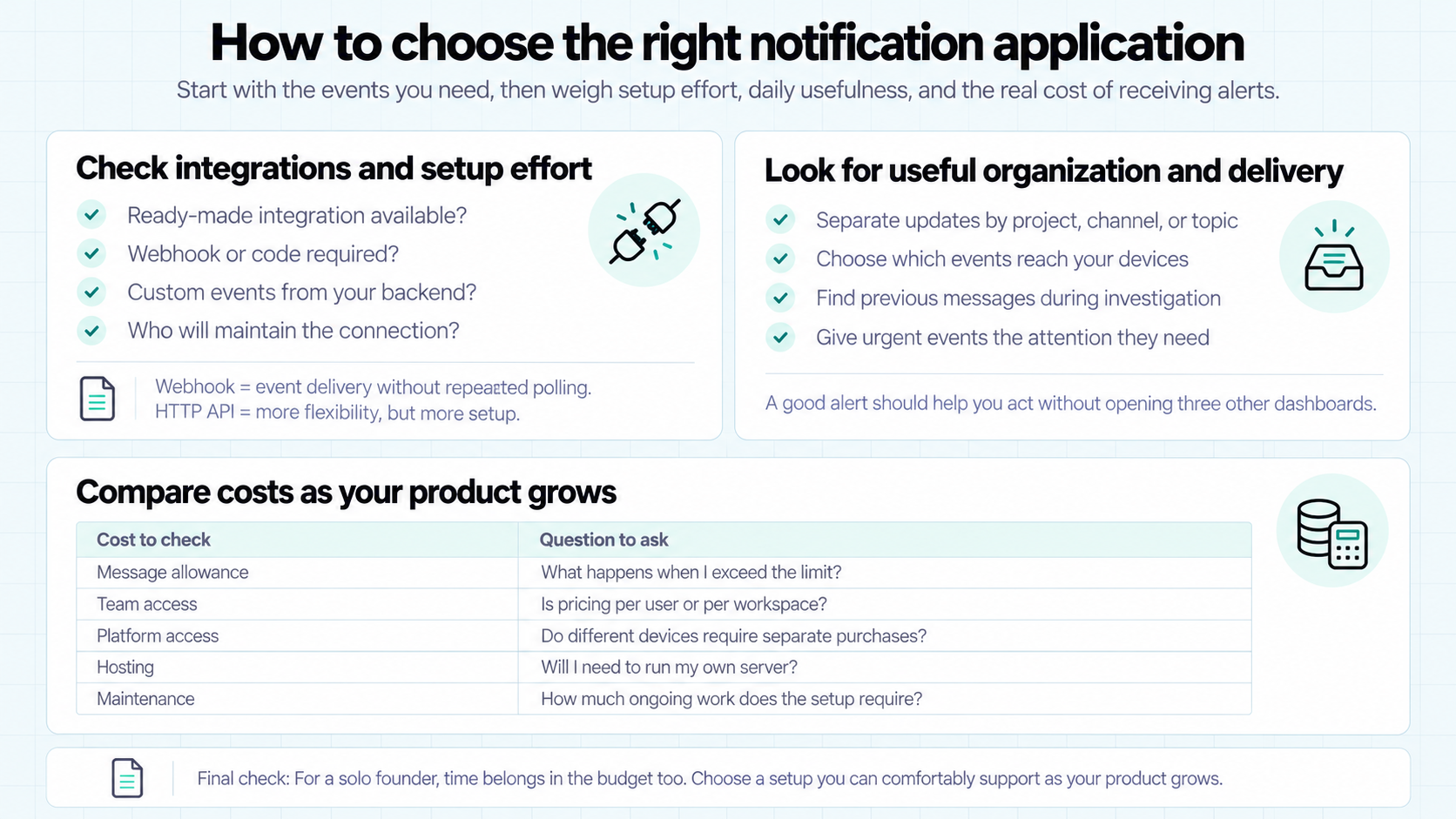
A long feature list won’t tell you whether a tool fits your day. Start with the events you need, then consider the work and cost of receiving them.
Check Integrations and Setup Effort
List the services behind your most important updates. These might include your payment provider, error tracker, hosting platform, and app store.
Then check how each notification application connects to them:
- Does it offer a ready-made integration?
- Will you need to configure a webhook or write code?
- Can you send custom events from your backend?
- Who will maintain those connections?
A webhook lets one service send data to another when an event occurs. As GitHub’s webhook guide explains, this avoids repeatedly requesting updates to check whether something has changed. For notification applications, it’s a useful way to connect event sources.
An HTTP API offers flexibility. A ready-made integration may save setup time. The right choice depends on your stack and how much configuration you want to handle.
Look for Useful Organization and Delivery
Think about what happens after an alert arrives. Can you identify the product, understand the event, and open the relevant page?
Look for features that help you:
- Separate updates by project, channel, or topic.
- Choose which events reach your devices.
- Find previous messages when investigating an issue.
- Give urgent events the attention they need.
If you ask me, this is where a notification tool earns its place. An alert should contain enough context to help you act without starting a search across several dashboards.
Compare Costs as Your Product Grows
Estimate your monthly event volume before choosing a plan. Tracking every user action can generate far more messages than tracking payments and critical errors.
Compare these costs together:
Cost to check | Question to ask |
Message allowance | What happens when I exceed the limit? |
Team access | Is pricing per user or per workspace? |
Platform access | Do different devices require separate purchases? |
Hosting | Will I need to run my own server? |
Maintenance | How much ongoing work does the setup require? |
For a solo founder, time belongs in the budget too. Choose a setup you can comfortably support while building and growing your product.
How to Build a Useful Notification Workflow
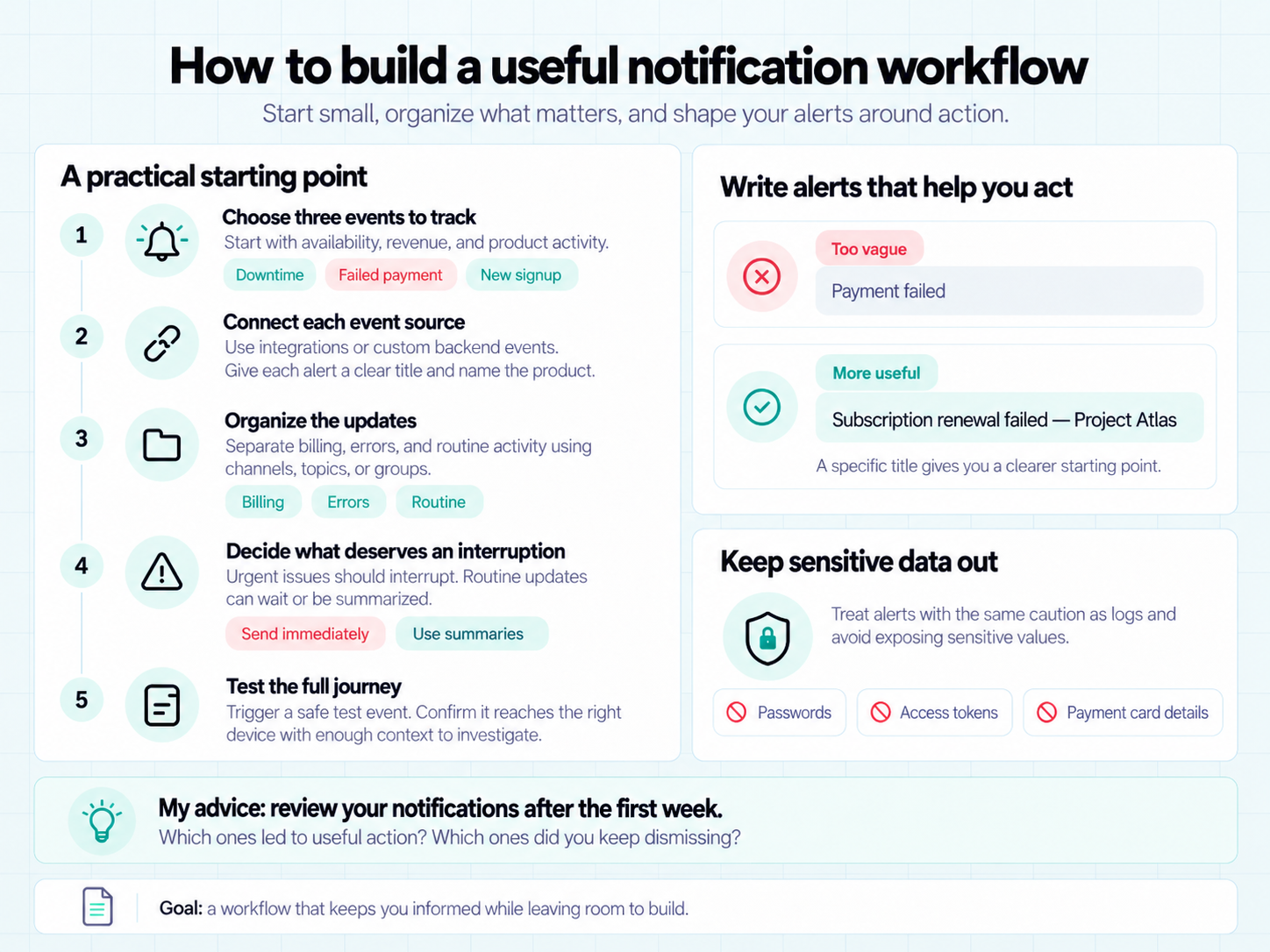
Once you’ve chosen a notification application, start with a small set of events. You can expand the setup after seeing which updates help you take action.
Here’s a practical starting point for a solo founder or micro SaaS team:
- Choose three events to track. Start with something affecting availability, something affecting revenue, and something showing product activity. Downtime, failed payments, and new signups are useful examples.
- Connect each event source. Use a supported integration or send custom events from your backend. Give each message a clear title and identify the product involved.
- Organize the updates. Separate billing, errors, and routine activity using the channels, topics, or grouping options your tool supports.
- Decide what deserves an interruption. Prioritize issues that need action. Review routine updates at a convenient time, or use summaries if your tool supports them.
- Test the full journey. Trigger a safe test event. Check that the message reaches the intended device and contains enough context to investigate.
For example, “Payment failed” leaves you with questions. “Subscription renewal failed — Project Atlas” gives you a clearer starting point. Add a link to the relevant record where supported.
Keep passwords, access tokens, and payment card details out of notification messages. OWASP’s logging guidance recommends avoiding direct recording of these sensitive values. Applying the same caution to alerts helps limit unnecessary exposure.
My advice: review your notifications after the first week. Which ones prompted useful action? Which ones did you repeatedly dismiss?
Adjust your setup around those answers. The goal is a workflow that keeps you informed while leaving room to build.
Conclusion: Find the Right Fit for Your Product
The best notification applications fit the way you work. Consider your event sources, the context you need, and the time you can spend maintaining the setup.
For indie makers who want app updates and monitoring in one place, Appkeepr is our pick. Its shared inbox, connected tools, and built-in checks make it a practical starting point for solo founders and small teams.
You can start with Appkeepr’s free plan and connect a few important events. See how the workflow fits your day before expanding it.
Frequently Asked Questions
Notification applications deliver or organize alerts about events. For indie developers and SaaS teams, these events can include signups, failed payments, errors, and downtime. They help you stay informed without repeatedly checking each service’s dashboard.
Appkeepr is our pick for indie makers seeking app updates and monitoring in one inbox. LogSnag suits event analytics, while Pushover focuses on device alerts. Developers who prefer custom or self-hosted workflows can consider ntfy and Gotify.
Yes, provided your notification tool supports the connections you need. Ready-made integrations can bring updates from supported services together. An API can also let you send custom events from your own backend. Check compatibility with your stack before choosing.
Developer notification tools keep you or your team informed about product activity and operational issues. Customer-facing push notification platforms deliver messages to your users, such as feature announcements or reminders. Choose based on who needs to receive the notification.
Start with events that affect customers’ ability to use or pay for your product. Downtime, critical errors, and billing issues are useful priorities. Review signups and other routine updates separately. An event deserves urgency when it requires a timely response.
Rate this article
Share